

Introduction: Storage Is the Foundation of Reliable Vehicle Surveillance
For commercial fleets, a vehicle DVR is not only a camera recorder. It is a data collection system that protects drivers, vehicles, cargo, and company operations.
A typical fleet surveillance project may include multiple cameras:
- Front road camera
- Driver cabin camera
- Left and right side cameras
- Rear camera
- Cargo or tanker monitoring cameras
When several cameras record continuously, storage selection becomes one of the most important system design decisions.
Many fleet operators ask:
Can an 8-channel vehicle DVR record 1080P on an SD card?
The answer is yes — but the real question is:
How long do you need the video to be stored, and how important is the recorded data?
Can an 8-Channel Vehicle DVR Record 1080P on SD Card?
Yes, an 8-channel MDVR can record 1080P video on SD cards when the hardware and storage capacity are properly configured.
However, recording 8 channels of Full HD video creates a large amount of data.
For example:
- 1 channel 1080P recording:
approximately 2–4 Mbps - 8 channels 1080P recording:
approximately 16–32 Mbps total
Continuous recording can generate hundreds of gigabytes every day.
Therefore, SD card recording is suitable for:
- Short-term recording
- Smaller fleets
- Normal driving monitoring
- Backup recording
For heavy-duty applications such as oil tankers, mining trucks, buses, and logistics fleets, additional storage options should be considered.
How Much Storage Does a Mobile DVR Need?
Storage requirements depend on:
- Number of cameras
- Resolution
- Recording frame rate
- Video compression
- Recording hours per day
- Required retention days
A typical calculation:
Storage ≈ Bitrate × Recording Time × Number of Channels
Example:
An oil tanker fleet uses:
- 6 cameras
- 1080P recording
- 24 hours continuous recording
- H.265 compression
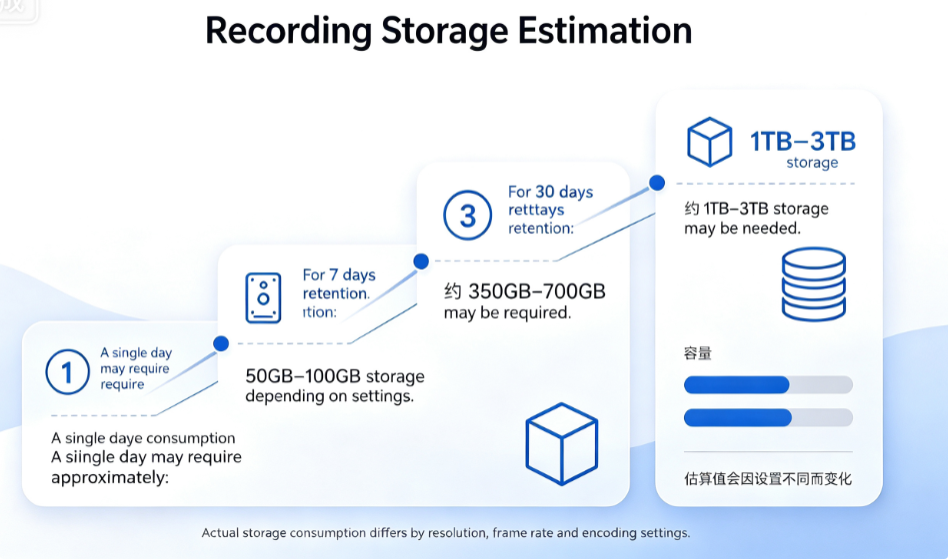
A single day may require approximately:
50GB–100GB storage depending on settings.
For 7 days retention:
350GB–700GB may be required.
For 30 days retention:
1TB–3TB storage may be needed.
SD Card vs HDD vs SSD: Which One Is Better?
SD Card: Compact and Simple
Advantages:
✓ Small size
✓ Low power consumption
✓ Easy installation
✓ Suitable for standard vehicle DVR systems
Limitations:
✗ Limited write cycles
✗ Capacity usually lower than HDD/SSD
✗ Not ideal for extremely long continuous recording
Recommended applications:
- Delivery vehicles
- Vans
- Small fleets
- Backup recording
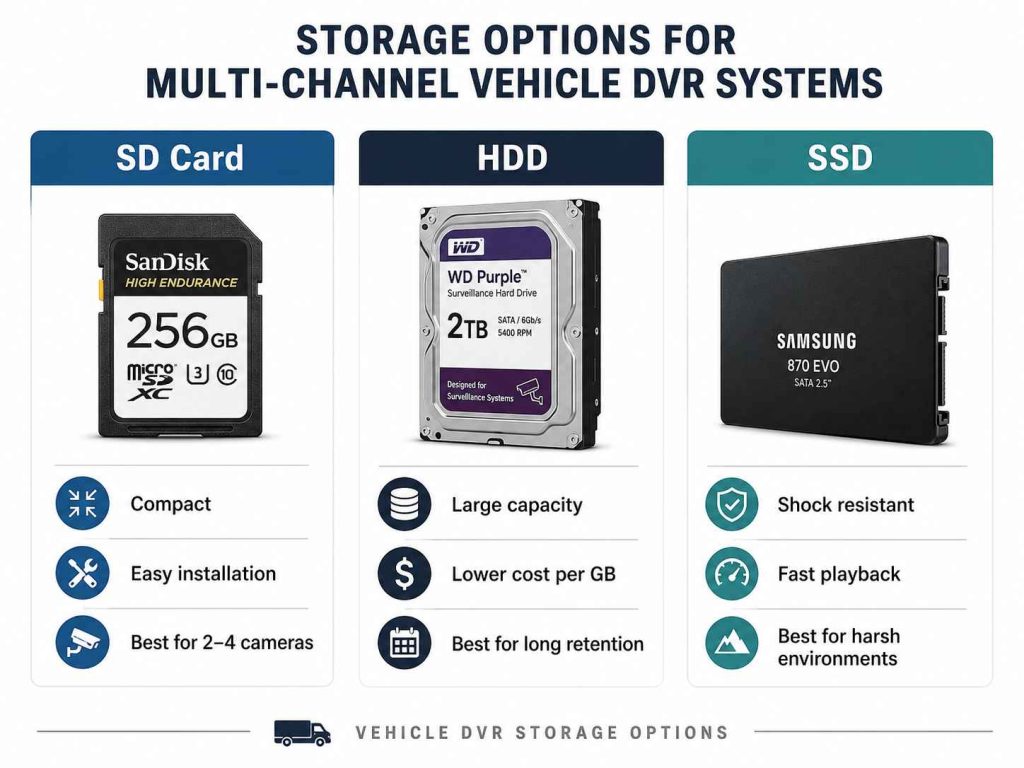
HDD: Large Capacity for Fleet Recording
Hard disk drives are still widely used in professional MDVR systems.
Advantages:
✓ Large storage capacity
✓ Lower cost per GB
✓ Suitable for long retention periods
Limitations:
✗ Sensitive to vibration
✗ Requires shock-resistant vehicle DVR design
✗ Higher power consumption
For applications such as:
- Oil tankers
- Buses
- Mining vehicles
- Public transportation
A vehicle-grade HDD with anti-shock protection is recommended.
SSD: Reliable Storage for Harsh Environments
SSD storage has become increasingly popular in commercial vehicles.
Advantages:
✓ No mechanical moving parts
✓ Better vibration resistance
✓ Faster data reading
✓ Lower failure risk
Limitations:
✗ Higher cost
✗ Limited write endurance depending on SSD quality
For vehicles operating in:
- Construction sites
- Mining areas
- Rough roads
- Extreme environments
SSD can provide better reliability.
Example: Oil Tanker Fleet Storage Design
For an oil tanker monitoring project, the requirements may include:
- Front camera
- Driver cabin camera
- Side cameras
- Top tanker camera
- GPS tracking
- 4G live monitoring
- Historical playback
A recommended configuration:
Camera:
6–8 channels 1080P
Recording:
Dual SD card + SSD/HDD option
Storage:
512GB–2TB depending on retention requirements
Platform:
CMSV6 remote monitoring system
For example, one of our Kenya oil tanker projects required:
- 17 fuel tanker trucks
- Full-time online monitoring
- Driver behavior monitoring
- Fuel monitoring
- Explosion-proof camera option
The customer also required historical playback for accident investigation and operation verification. In this type of application, storage reliability is more important than simply choosing the cheapest option.
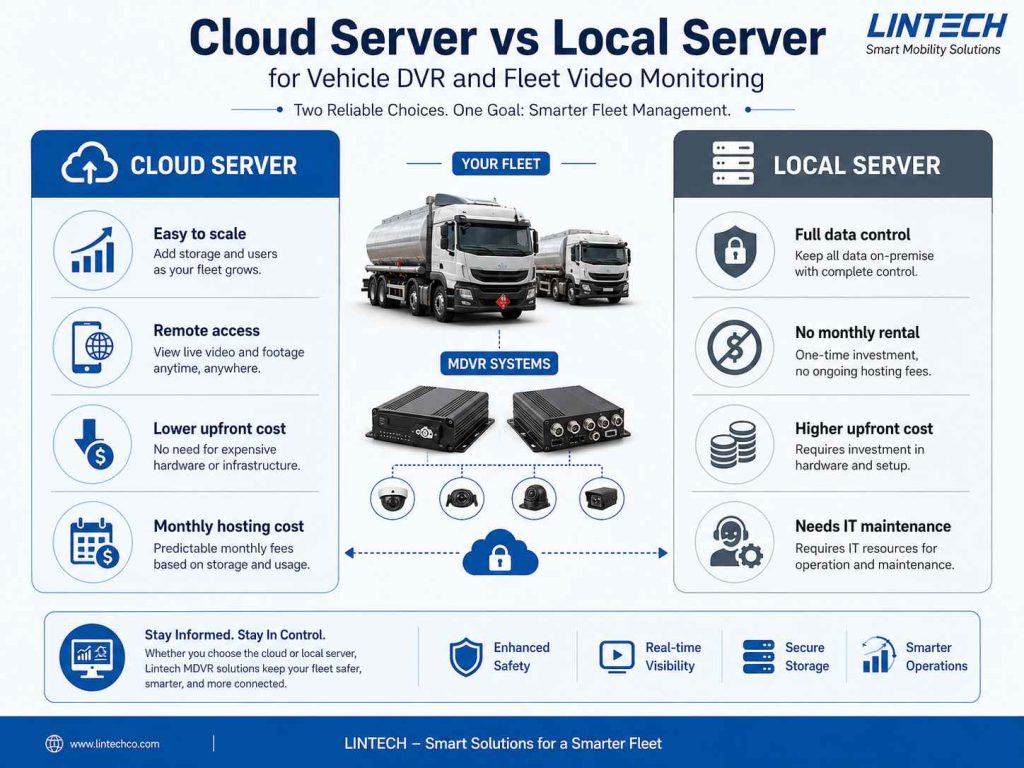
Local Server vs Cloud Server for Vehicle DVR Monitoring
When a fleet needs online monitoring, recorded video normally needs a management server.
There are two common options:
Cloud Server (AWS, Alibaba Cloud, etc.)
Advantages:
✓ No need to purchase server hardware
✓ Easy expansion when fleet size grows
✓ Professional data center reliability
✓ Remote access from anywhere
Disadvantages:
✗ Monthly server cost
✗ Depends on internet connection
✗ Large video storage may increase cloud cost
Best for:
- Small and medium fleets
- Companies without IT teams
- Multi-location fleet management
Local Server
Advantages:
✓ Full control of data
✓ No monthly cloud rental cost
✓ Suitable for large video storage
✓ Can integrate with company IT systems
Disadvantages:
✗ Requires IT maintenance
✗ Initial hardware investment
✗ Requires stable network infrastructure
Best for:
- Large transportation companies
- Government projects
- Security-sensitive applications
Conclusion: Choose Storage Based on Your Operation, Not Just Camera Numbers
An 8-channel DVR can record 1080P on SD cards, but professional fleet projects require a complete storage strategy.
Before choosing SD card, HDD, or SSD, consider:
- How many cameras?
- How many days of playback are required?
- Is the vehicle operating in harsh conditions?
- Is remote monitoring required?
- How important is video evidence?
The correct storage solution ensures that when an incident happens, the video evidence is available.
