

You replaced a rear view camera on a truck, van, bus, trailer or machine.
The monitor turns on.
The cable is connected.
The camera looks similar to the old one.
But there is still no image on the screen.
This is a very common problem in vehicle camera replacement. Many people first think the new camera is broken, or the monitor has failed. But in many cases, the real reason is much simpler:
The new camera signal does not match the old monitor.
The most common mismatch is between AHD and CVBS camera signals.
This article explains the problem in a simple way, especially for drivers, installers, fleet managers and maintenance teams.
A Common Situation: “The Connector Fits, But There Is No Picture”
In many truck camera systems, the replacement camera may look almost the same as the old one.
The housing looks similar.
The connector looks similar.
The voltage may also look correct.
So the installer connects everything and expects the image to appear.
But the screen stays black.
This happens because vehicle cameras are not only about the connector. The video signal format also needs to match.
A camera may use CVBS signal.
Another camera may use AHD signal.
Even if both cameras use a 4-pin connector, they may not work with the same monitor.
This is why checking only the connector shape is not enough.
[Insert Image Here: A realistic photo-style image showing an installer checking a truck monitor with a black screen after replacing the rear camera.]
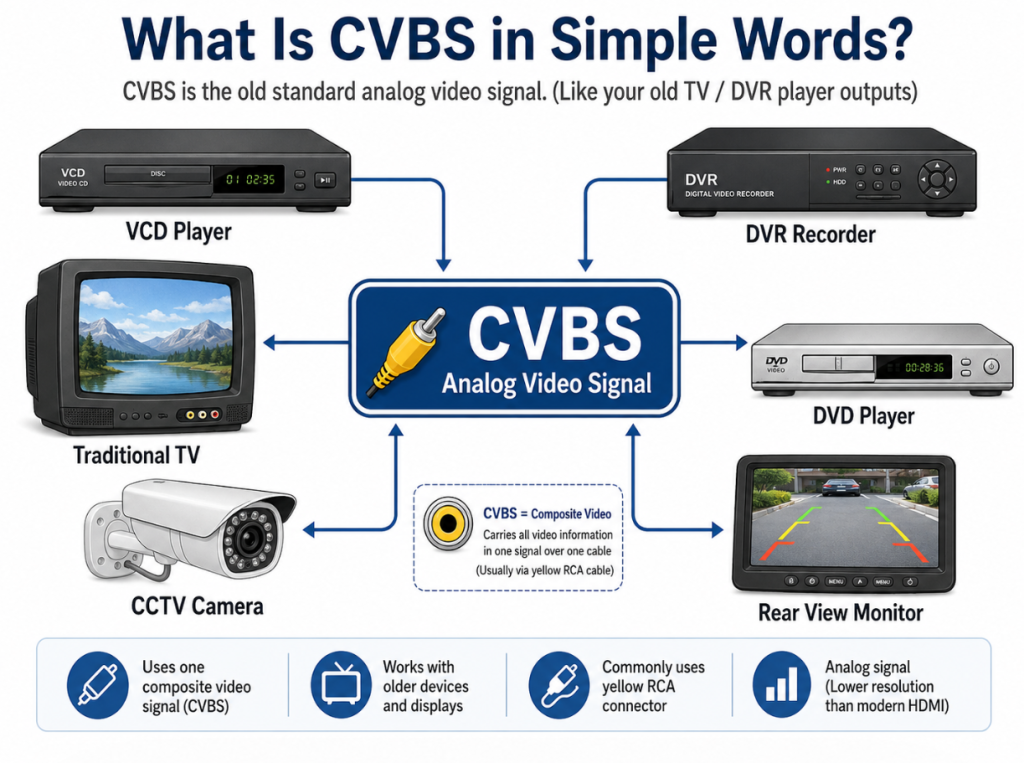
What Is CVBS in Simple Words?
CVBS is the old standard analog video signal. (Like your old TV – DVR player outputs)
Many older truck rear view systems, mirror monitors, bus monitors and DVR systems use CVBS.
If your vehicle camera system was installed many years ago, there is a good chance it may be CVBS.
CVBS image quality is usually not very sharp, but it works well enough for basic reversing and rear view applications.
You may still find CVBS systems on:
- Older trucks
- Trailers
- Vans
- Buses
- Agricultural machines
- Construction vehicles
- Older DVR systems
- Older mirror monitors
If your old monitor only supports CVBS, it may not show an image from a newer AHD camera.
What Is AHD in Simple Words?
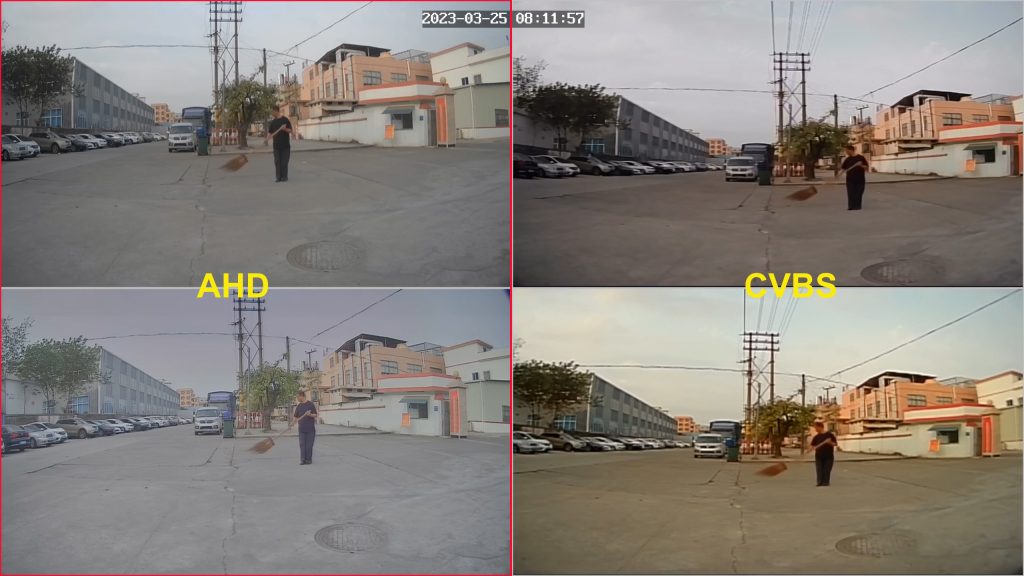
AHD means Analog High Definition.
It is a newer type of video signal used in many modern vehicle camera systems.
AHD cameras can provide a clearer image, usually 720P or 1080P. This makes it easier to see obstacles, people, loading areas and blind spots.
AHD is now very common in newer truck camera systems because the image is much clearer than old CVBS cameras.
AHD is often used with:
- 7-inch truck monitors
- 10.1-inch vehicle monitors
- 11.6-inch monitor recorders
- DVR systems
- Multi-camera systems
- 360° camera systems
- Modern rear view camera kits
But there is one important point:
An AHD camera needs an AHD-compatible monitor.
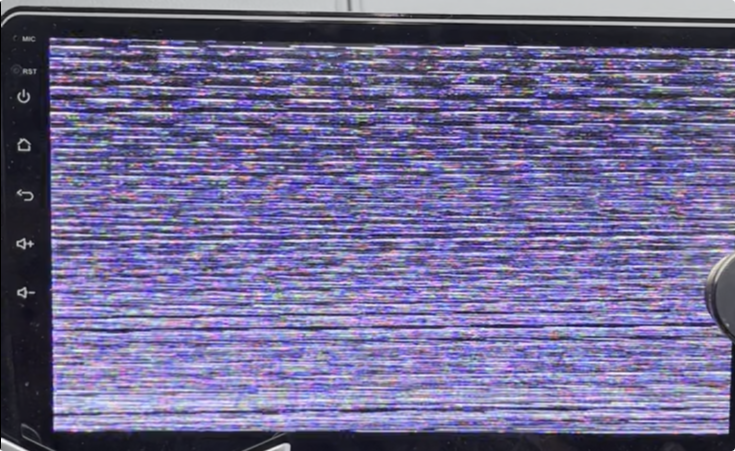
If the old monitor only supports CVBS, the screen may show no image.
Why Your Monitor Has Power But No Image
If your monitor powers on but there is no camera image, the problem may be one of these:
- The camera is AHD, but the monitor only supports CVBS
- The camera is CVBS, but the monitor is set to AHD input
- The monitor input channel is wrong
- The connector looks the same, but the wiring is different
- The extension cable is damaged or not suitable
- The camera is not getting power
- The monitor does not support the camera resolution, such as AHD 1080P
Among all these reasons, signal mismatch is one of the most common.
So before saying “the camera is bad,” it is better to check whether the camera and monitor speak the same video language.
AHD and CVBS Are Like Two Different Languages
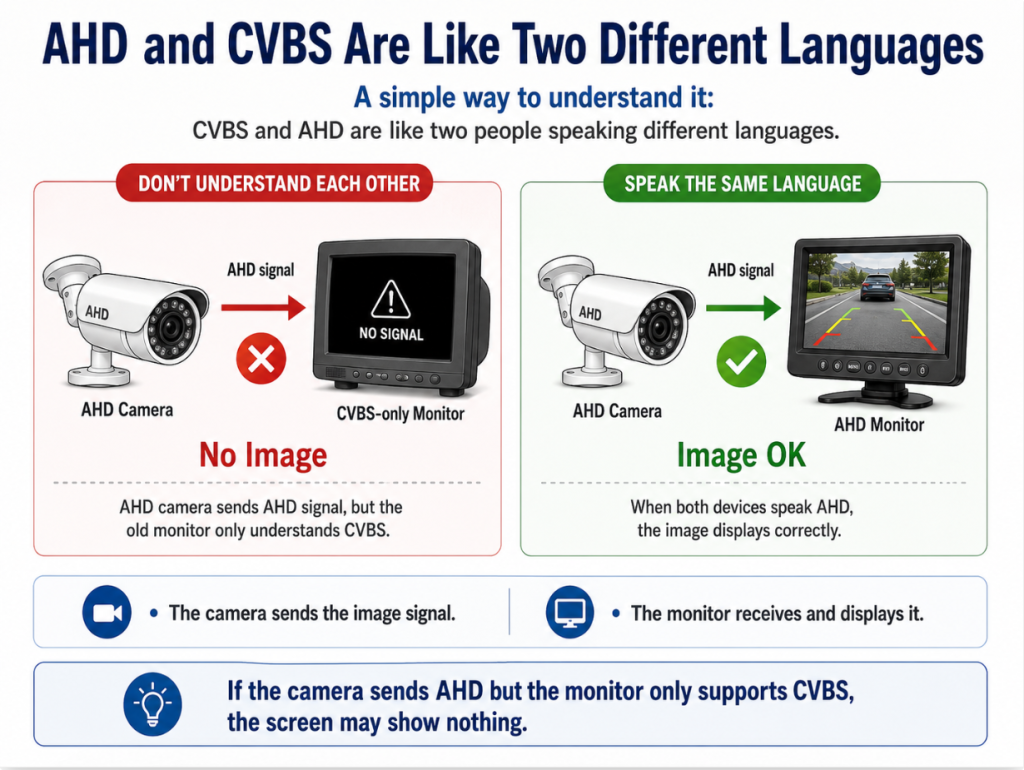
A simple way to understand it:
CVBS and AHD are like two people speaking different languages.
The camera sends the image signal.
The monitor receives and displays it.
If the camera sends AHD signal but the monitor only understands CVBS, the monitor cannot show the image correctly.
That is why a new camera can be perfectly good, but still show nothing on the old screen.
How to Check If Your Old Monitor Supports AHD
Before buying a replacement camera, try to check the monitor first.
You can look at:
- The monitor label
- The user manual
- The original product page
- The old invoice or quotation
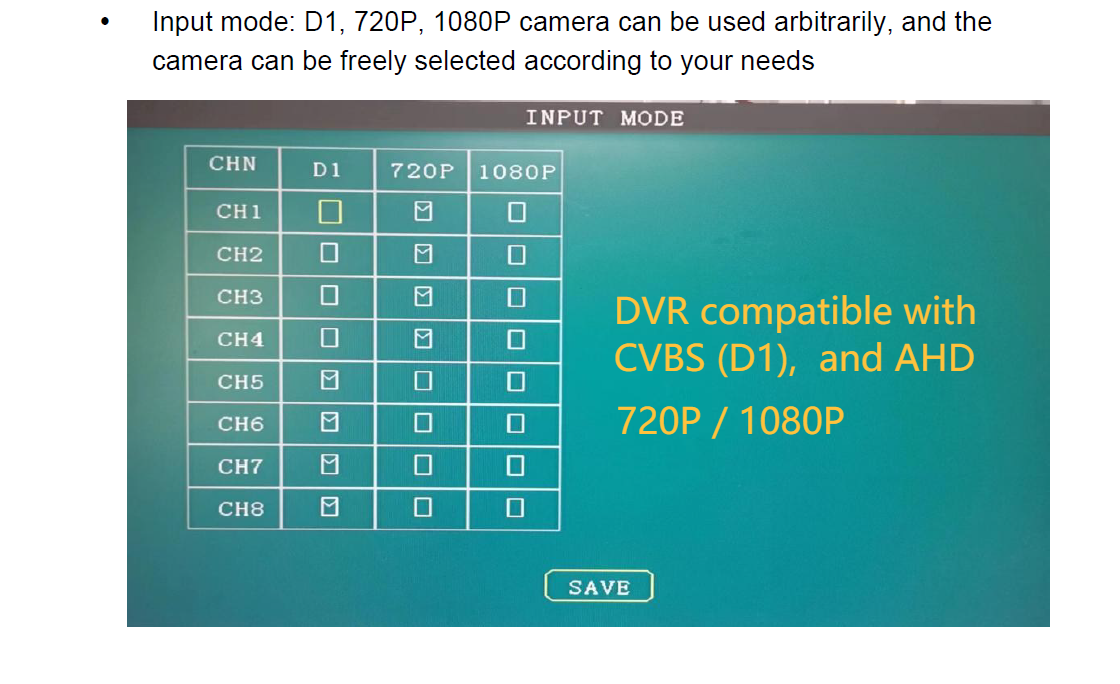
- The DVR or monitor settings menu
- The camera system supplier’s information
Look for words like:
- CVBS
- AHD
- 720P
- 1080P
- AHD/CVBS
- Auto switch
- PAL/NTSC
- Video input format
If the monitor only says CVBS, it may not support an AHD camera.
If the monitor says AHD/CVBS, it usually means it can support both signal types.
How to Check the Camera Signal
The camera signal is sometimes printed on the camera label or shown in the product specification.
You may see:
- CVBS
- AHD 720P
- AHD 1080P
- AHD/CVBS switchable
- PAL/NTSC
If you cannot find this information, ask the supplier before ordering.
Do not only send a photo of the camera housing. The same housing can sometimes be used for different signals.
A camera may look exactly the same outside, but inside it may use a different sensor board and video signal.
The Connector Can Be Misleading
Many vehicle cameras use 4-pin aviation connectors.
But this does not always mean they are compatible.
Two cameras may both use a 4-pin connector, but the pin definition may be different.
For example, the pins may be arranged for:
- Video
- Power
- Ground
- Audio
- Shielding
If the pin definition is different, the camera may not work correctly even if the connector can be plugged in.
So when replacing a camera, you should check:
- Connector type
- Pin definition
- Camera signal
- Monitor signal
- Voltage
- Cable compatibility
This is especially important for older vehicle systems or OEM-style camera systems.
What You Can Try Before Returning the Camera
If your new camera does not show an image, try these steps first.
1. Check the monitor input channel
Some monitors have multiple channels, such as AV1, AV2, CAM1, CAM2 or reverse trigger input.
Make sure the monitor is displaying the correct channel.
2. Check the camera power
If the camera does not receive power, there will be no image.
Check whether the power cable is connected correctly.
If possible, test the camera with another known-good power source.
3. Check whether the monitor supports AHD
If the new camera is AHD, but the monitor is old CVBS-only, it may not show any image.
This is very common.
4. Test with a short cable
Sometimes the extension cable may be damaged or too long.
Before installing everything on the vehicle, test the camera, monitor and cable on a table first.
5. Test with another monitor or camera
If you have another compatible monitor, test the new camera with it.
If you have another working camera, test it with the old monitor.
This can help you find out whether the problem is the camera, monitor, cable or signal format.
Should You Replace Only the Camera or the Whole Kit?
If your old system is CVBS and still works well, you can replace the broken camera with another CVBS camera.
This may be the easiest and lowest-cost solution.
But if you want a clearer image, or if the old monitor is already very old, it may be better to upgrade the camera and monitor together to AHD.
For example, if your vehicle uses a larger screen or needs DVR recording, AHD 1080P will give a much better result.
So the decision depends on your real need:
| Situation | Better Choice |
|---|---|
| Old monitor still works and only one camera is broken | Replace with a matching CVBS camera |
| You want clearer image quality | Upgrade to AHD camera and AHD monitor |
| You are not sure what signal your customers use | Choose an AHD/CVBS hybrid monitor |
| You manage different vehicles with different systems | Keep both CVBS and AHD options available |
| You want DVR recording or a larger monitor | AHD system is usually better |
For Fleet Managers: Avoid Downtime by Checking Compatibility First
For a fleet, a simple camera replacement problem can become a real delay.
The vehicle may need to stay in the workshop longer.
The driver may not feel safe reversing without the camera.
The maintenance team may spend time testing parts that are not actually defective.
Before ordering replacement cameras in bulk, it is better to confirm:
- What signal the existing monitor supports
- What connector the current camera uses
- Whether the vehicle uses 12V or 24V power
- How long the extension cable is
- Whether the system needs audio or trigger function
- Whether DVR recording is required
A few minutes of checking can save a lot of installation trouble later.
For Installers: Test Before Routing the Cable
One practical suggestion:
Always test the camera, monitor and cable before installing them on the vehicle.
Do not route the cable through the truck body first and then test the system at the end.
If the system does not work after full installation, you may need to remove panels, check wiring again and spend much more time.
A simple bench test can confirm:
- The camera has image
- The monitor supports the signal
- The connector is correct
- The cable works
- The power supply is stable
This is a small step, but it helps avoid many after-sales problems.
[Insert Image Here: Realistic photo-style image of a technician bench-testing a truck camera, monitor, and cable before installation.]
When Should You Upgrade to AHD?
You should consider upgrading to AHD if:
- The old image is too blurry
- The driver needs a clearer rear view
- The vehicle works in busy areas
- The system uses a larger monitor
- You want to add DVR recording
- You are installing a new system instead of repairing an old one
- The old CVBS monitor is already outdated
AHD gives a clearer image and is more suitable for modern commercial vehicle camera systems.
For trucks, buses, trailers, agricultural vehicles and construction machinery, AHD is now a very practical upgrade.
When Is CVBS Still OK?
CVBS is still useful in some situations.
If the existing monitor is CVBS-only and the customer only wants a simple replacement, CVBS can still be the right choice.
For example:
- The vehicle only needs basic reversing view
- The driver is already familiar with the old system
- The budget is limited
- The customer does not want to change the monitor or cable
- The old system is still working well except for the broken camera
In this case, replacing the camera with a matching CVBS model may be more convenient.
Simple Rule Before Buying a Replacement Camera
Before buying a replacement truck camera, remember this simple rule:
Same connector does not always mean same signal.
Always check:
- Is the camera CVBS or AHD?
- Does the monitor support that signal?
- Is the connector pin definition the same?
- Is the voltage correct?
- Is the cable suitable?
If you are not sure, send photos of the old camera, monitor label, connector and cable to your supplier.
A professional supplier should help you check compatibility before shipping the product.
Conclusion
If your truck camera shows no image after replacement, do not worry too quickly.
The problem may not be the camera.
It may not be the monitor either.
Very often, the issue is simply that the new camera and old monitor are using different video signals.
CVBS is common in older systems.
AHD is common in newer HD vehicle camera systems.
Both can work well when they are matched correctly.
For simple replacement, use the same signal as the old system.
For better image quality and modern DVR/monitor systems, consider upgrading to AHD.
At Lintech, we supply both CVBS and AHD vehicle camera solutions for trucks, buses, trailers, forklifts, agricultural vehicles and construction machinery. If you are not sure which signal your current system uses, you can send us the product label, connector photo or monitor information. We will help you check before you order.
FAQ
1. Why does my truck camera show no image after replacement?
The most common reason is signal mismatch. Your new camera may be AHD, while your old monitor may only support CVBS.
2. Can I use an AHD camera with an old monitor?
Only if the old monitor supports AHD. If it is CVBS-only, it may show no image.
3. The connector fits. Why does the camera still not work?
The connector shape is only one part. The signal format and pin definition also need to match.
4. Should I replace only the camera or upgrade the whole system?
If your old CVBS monitor still works, replacing with a matching CVBS camera may be enough. If you want clearer image quality, upgrading to an AHD camera and monitor is better.
5. How can I avoid buying the wrong replacement camera?
Before ordering, check the old camera signal, monitor input format, connector, pin definition, voltage and cable length. If unsure, ask your supplier to help confirm compatibility.
